Dify手动安装MCP服务——MCP-Ansible
- AI Tool
- 29天前
- 18热度
- 0评论
MCP Ansible 服务器
ython 中的高级 Ansible 模型上下文协议 (MCP) 服务器公开了用于清单、playbook、角色和项目工作流的 Ansible 实用程序。
确保本地环境满足以下要求,否则会导致安装或运行失败:
- Python 版本:3.10 及以上
- 依赖工具:git(用于克隆仓库)、pip(Python 包管理工具,需升级到最新版)
安装与启动 MCP 服务器
克隆仓库并进入项目目录
# 克隆仓库
git clone https://github.com/bsahane/mcp-ansible.git

# 进入项目根目录
cd mcp-ansible

# 记录当前路径
chdir
H:\File\Trae\ansbile\mcp-ansible创建并激活 Python 虚拟环境
# 创建环境并指定 Python 版本为 3.12
conda create --name mine_python_3.12  python=3.10

# 查看环境列表
conda env list
mine_python_3.12       E:\anaconda3\envs\mine_python_3.12

# 激活mine_python_3.12环境
conda activate myenv

# 退出当前环境
conda deactivate安装依赖包
# 升级 pip 到最新版(避免依赖安装报错)
python -m pip install -U pip

# 安装项目依赖
pip install -r requirements.txt

# (可选)本地安装项目包(方便全局调用,推荐执行)
pip install -e .启动 MCP Ansible 服务器
# 启动后服务器会通过 stdio 传输 接收和响应请求(不要关闭终端):
python src/ansible_mcp/server.py客户端配置
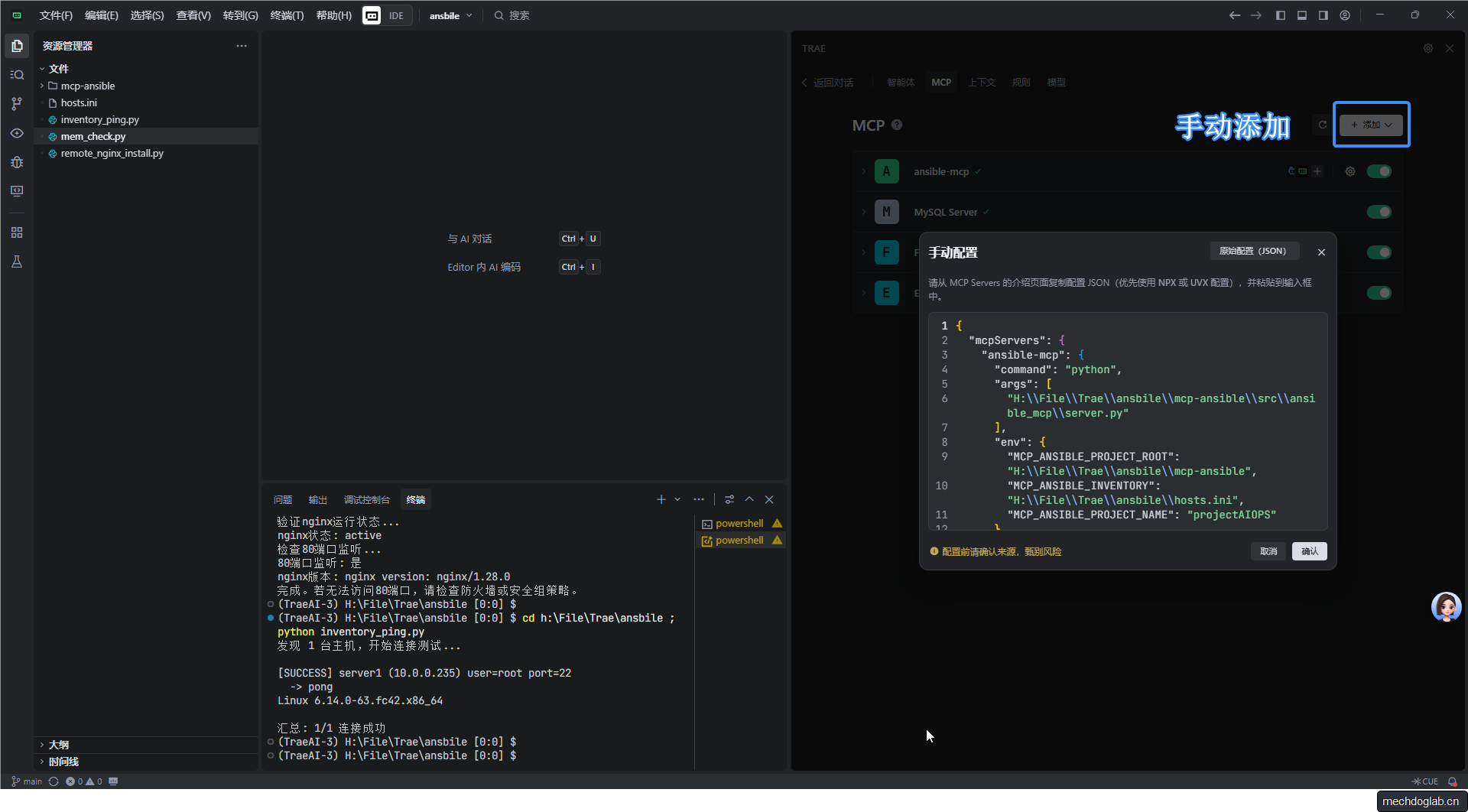
配置内容如下(需根据本地路径修改 args 和 env 中的路径):
{
  "mcpServers": {
    "ansible-mcp": {  // 服务器名称,自定义即可
      "command": "python",  // 调用 Python 解释器
      "args": [
        "H:\\File\\Trae\\ansbile\\mcp-ansible\\src\\ansible_mcp\\server.py" //server.py所在的位置
      ],
      "env": {
        "MCP_ANSIBLE_PROJECT_ROOT": "H:\\File\\Trae\\ansbile\\mcp-ansible", //git的项目路径
        "MCP_ANSIBLE_INVENTORY": "H:\\File\\Trae\\ansbile\\hosts.ini", //Inventory 文件路径(Ansible 主机清单,需提前创建)
        "MCP_ANSIBLE_PROJECT_NAME": "projectAIOPS" // 项目名称(自定义,用于标识)
      }
    }
  }
}创建智能体
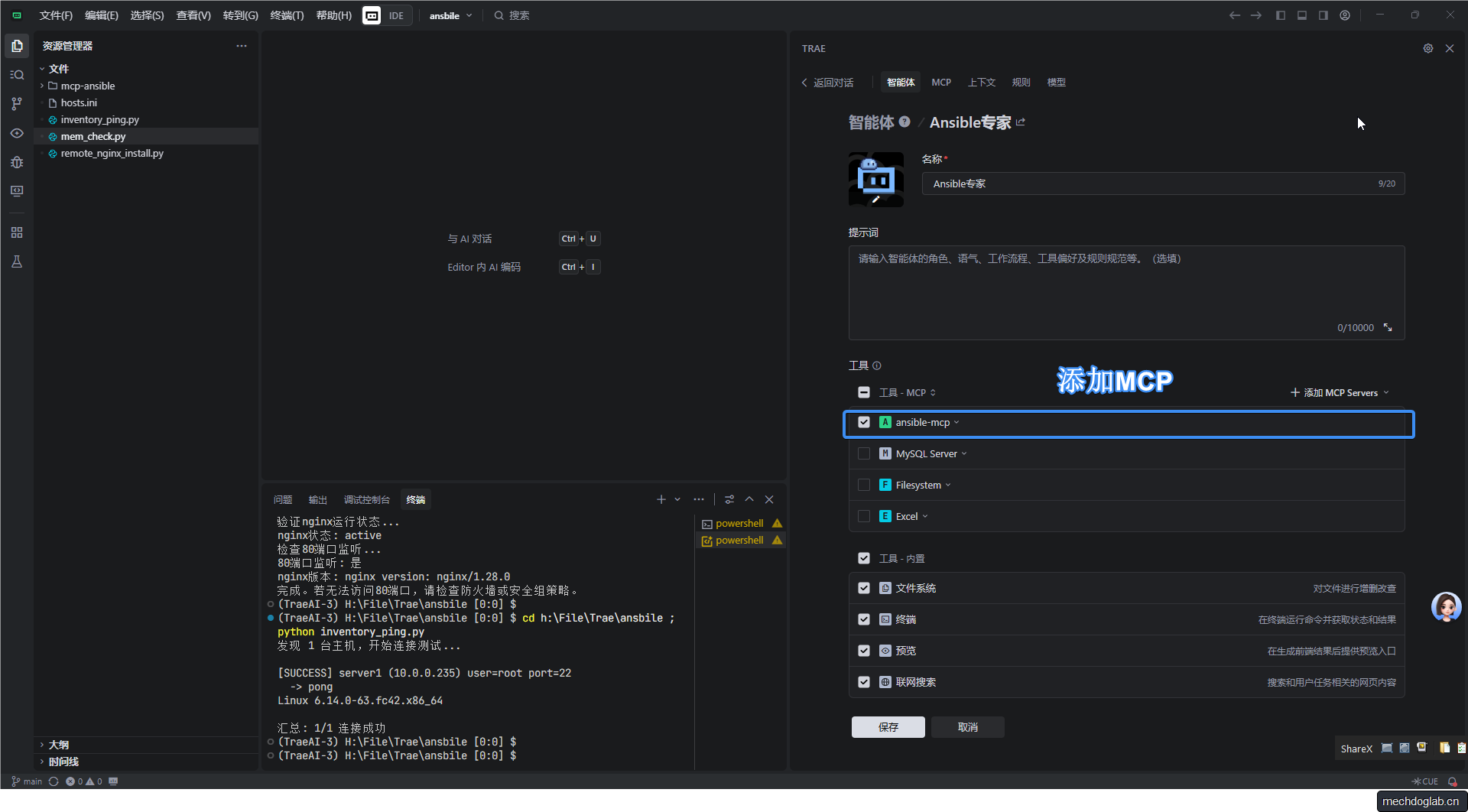
测试
安装Nginx
在10.0.0.235中安装nginx,使用dnf包管理器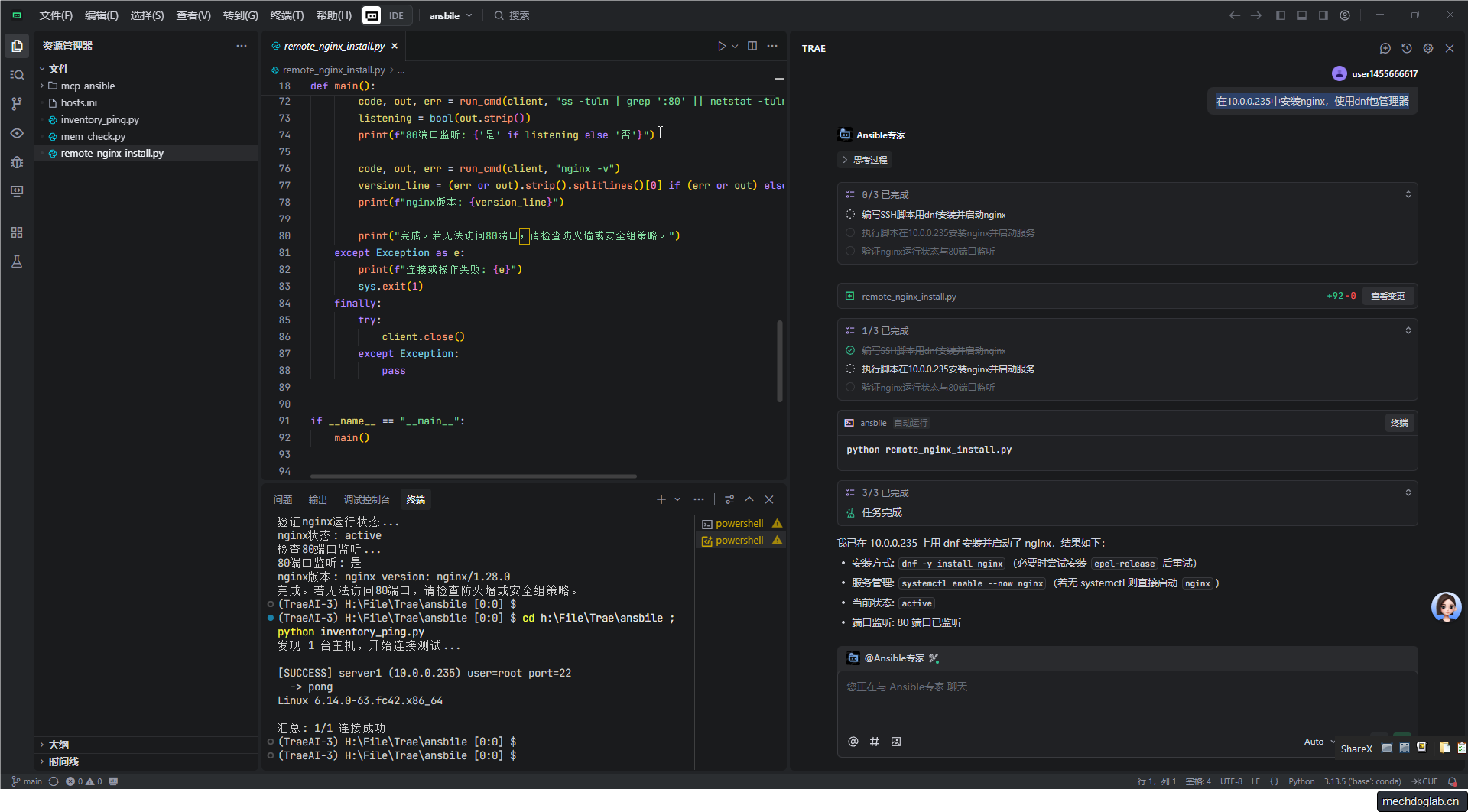
远程主机测试
systemctl status nginx
● nginx.service - The nginx HTTP and reverse proxy server
     Loaded: loaded (/usr/lib/systemd/system/nginx.service; enabled; preset: disabled)
    Drop-In: /usr/lib/systemd/system/service.d
             └─10-timeout-abort.conf, 50-keep-warm.conf
     Active: active (running) since Thu 2025-11-06 20:46:38 CST; 25s ago
 Invocation: 8c9ea04a652841b4bcaefabbc766f3b6
    Process: 1861 ExecStartPre=/usr/bin/rm -f /run/nginx.pid (code=exited, status=0/SUCCESS)
    Process: 1862 ExecStartPre=/usr/sbin/nginx -t (code=exited, status=0/SUCCESS)
    Process: 1865 ExecStart=/usr/sbin/nginx (code=exited, status=0/SUCCESS)
   Main PID: 1866 (nginx)
      Tasks: 7 (limit: 19132)
     Memory: 6.3M (peak: 6.9M)
        CPU: 61ms
     CGroup: /system.slice/nginx.service
             ├─1866 "nginx: master process /usr/sbin/nginx"
             ├─1867 "nginx: worker process"
             ├─1868 "nginx: worker process"
             ├─1869 "nginx: worker process"
             ├─1870 "nginx: worker process"
             ├─1871 "nginx: worker process"
             └─1872 "nginx: worker process"

Nov 06 20:46:37 test1 systemd[1]: Starting nginx.service - The nginx HTTP and reverse proxy server...